
Digital Ring Light: Turn Your Screen into a Ring Light, a Bulb or a Night Lamp
Eight kinds of light, a switch, brightness and colour from golden 2,700 K to daylight 6,500 K, in your browser
Guide reviewed 15 November 2026 by Milan Salvi. How we write and correct guides.
Open Digital Ring Light →Step-by-step help guide and questions and answers for this tool.
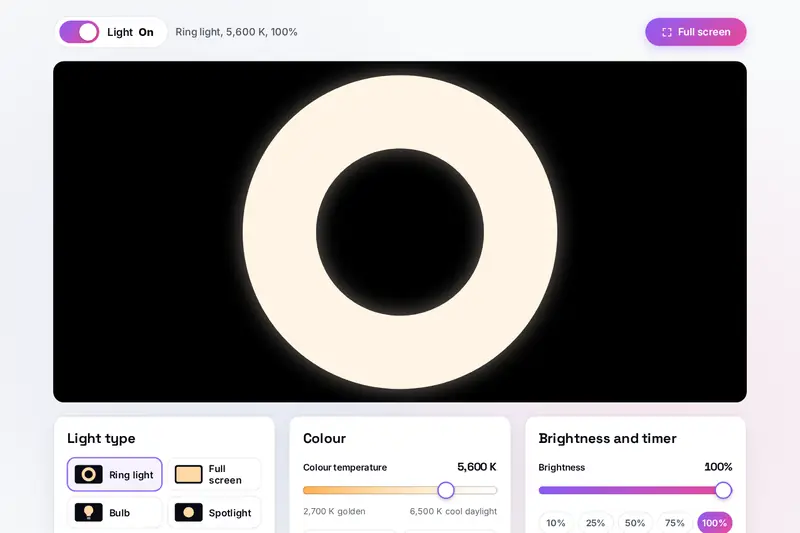
Table of Contents
Overview
Every screen is a lamp: a flat panel that can show any colour at any brightness. The Digital Ring Light uses that. It turns a monitor, a laptop, a tablet or a phone into a ring light for a video call, a soft panel of white, a glowing bulb, a frame of light around the edge of the screen, or a golden night lamp that switches itself off.
It has the controls of a real lamp: a switch for on and off, a dimmer, and a colour dial marked in kelvin, the same numbers printed on bulb boxes. The dial runs from 2,700 K, the golden light of a night bulb, to 6,500 K, a cool daylight white, in steps of 100 K. Each of those colours is worked out from the physics of light rather than picked by eye, and we checked them against a separate reference before publishing.
All of it runs in your browser. There is nothing to install, the camera is never used and nothing is uploaded.
Key Features
Eight Kinds of Light
Ring light, full screen, bulb, spotlight, edge light, side lights, tube light and candle, each drawn on a dark stage.
An On and Off Switch
One switch turns the light on and off, like the switch on a wall, without changing your settings.
Colour from 2,700 K to 6,500 K
A slider in steps of 100 K, with six ready-made white lights from Golden night bulb to Cool daylight.
Dimming That Keeps the Colour
Brightness from 100% down to 1%. The three colours of the screen dim together, so the tint does not drift.
Full Screen View
The light alone on the whole screen, with a small bar for the switch and the brightness that hides itself.
A Switch-off Timer
From 5 minutes to 2 hours, for a night light that goes off after you have fallen asleep.
Keeps the Screen Awake
While the light is on, the page asks your device not to dim or lock the screen, where the browser allows it.
Eight Colour Lights
Red, orange, yellow, green, cyan, blue, purple and pink, for a mood light or a coloured glow in a photo.
How to Use
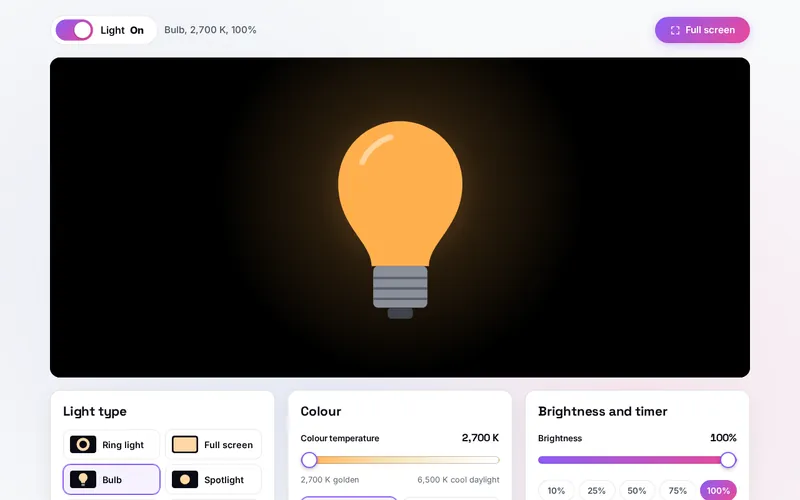
- Pick a light - Choose one of the eight kinds. The stage shows it at once, and a line under the buttons says what it is for.
- Switch it on or off - The Light switch above the stage works like a wall switch. The light is on when you arrive.
- Choose the colour - Slide between 2,700 K and 6,500 K, or tap a ready-made white light or one of the eight colour lights.
- Set the brightness and size - Dim the light, and make the ring thicker, the bulb bigger or the panels wider.
- Go full screen - Press Full screen. Move the mouse or tap to bring back the bar; press F or Escape to leave.
- Set the timer - Let the light switch itself off after 5 minutes to 2 hours.
How the Tool Works It Out
- Colour temperature - A white light's tint is named after the temperature, in kelvin, at which a glowing body would have that tint: around 2,700 K it glows golden, around 6,500 K a bluish white. For each setting the tool works out where that glow sits on the standard colour chart, places it as far from the line of glowing bodies as the screen's own white is, and turns the result into the red, green and blue of a standard screen, with the strongest of the three full on. A standard screen's white is a daylight white of about 6,500 K, so that setting comes out as the screen's exact white and every other setting keeps the colour temperature it is named for.
- What the numbers come to - 6,500 K is full red, green and blue. At 4,000 K green is held back to 215 of 255 and blue to 161; at 2,700 K green is 175 and blue 77, which is the golden colour of a night bulb.
- Brightness - Dimming multiplies the light of all three colours by the same share, so the tint stays the same. The slider's numbers follow how bright the light looks: 50% looks about half as bright, which is 21% of the light when measured; 25% is 5% and 10% is 1%.
- The eight lights - Each is sized from the smaller side of the stage, so it fits a wide monitor and an upright phone alike. The ring always keeps a dark middle, the edge light always leaves the centre free and the side lights never meet, whatever the size slider says.
- The candle - The flame keeps between 88% and 100% of its light and takes a third of a second or longer over each change, so it flickers without flashing. With reduced motion turned on in your device's settings it burns steadily.
- Checked before publishing - We compared the tool with a reference made separately: 79,947 cases in 10 groups. The glow's place on the colour chart was compared with the physical law itself, added up over the standard observer's tables, at 281 temperatures. The screen colour of every setting from 2,700 K to 6,500 K matched the reference to within one step in 255, and measured back, each setting's colour temperature was within 0.4% of its number (2,700 K measures as 2,709 K). Every setting was checked at every brightness, along with the colour lights, the sizes of the eight lights on 76 stage sizes, saved settings made to break the tool, the timer and the candle's flicker.
A Screen as a Light: What to Expect
A screen is built to be looked at, not to light a room, and it gives much less light than a ceiling bulb or a real ring light. Used well, it is still a handy lamp. On a video call in a dim room, a white or slightly warm full screen at arm's length lifts the shadows on your face. A tablet or a second monitor beside the laptop makes a better light than the screen you are looking at, because it can stay fully lit while you work. The ring and the edge light put the light all around the middle of the screen, which gives an even look and, with the ring, a round reflection in the eyes.
Three things decide how much light you get. The first is your device's own brightness setting: a web page cannot raise it, so turn it all the way up. The second is how much of the screen is lit: Full screen gives the most, a thin ring much less. The third is distance: the light falls off quickly, so sit close.
Colour is a matter of matching. Under warm house lights, a light of 3,000 K to 4,000 K blends in; near a window in daytime, 5,600 K to 6,500 K does. If your device has a night light, a blue light filter or an automatic colour setting switched on, it tints everything the screen shows, and every light here will look warmer than its number until you switch that off. As a night light, the golden 2,700 K setting at a low brightness with the timer set is the gentlest choice; many people find a dim, warm light more comfortable late in the evening.
Frequently Asked Questions
The questions people ask most are answered on the tool page, just below the tool. The full list of 27 questions, from which light gives the most light to what the K numbers mean, the timer, keeping the screen awake and your privacy, is on the Digital Ring Light FAQ page, and every part of the tool is explained step by step in the help guide.
Privacy & Security
This tool has no upload step, no account and no server-side storage, and it never asks for the camera, the microphone or your location. Your last light type, colour, brightness, size and keep awake choice are kept only in this browser on this device, and one button puts the starting settings back and removes them.
The tool asks no outside service for anything. Like every page on ZeroDataUpload, the tool page shows ads through Google AdSense and counts visits with Google Analytics; the Privacy Policy explains both.
Ready to switch on the light? It's free, private, and runs entirely in your browser.
Open Digital Ring Light →Related

Last Updated: November 15, 2026