
Breathe Studio: Guided Breathing You Can See, Hear and Follow
25 breathing exercises as 3D pictures that follow each breath, with a meditation timer and a sound studio
Guide reviewed 16 November 2026 by Milan Salvi. How we write and correct guides.
Open Breathe Studio →Step-by-step help guide and questions and answers for this tool.
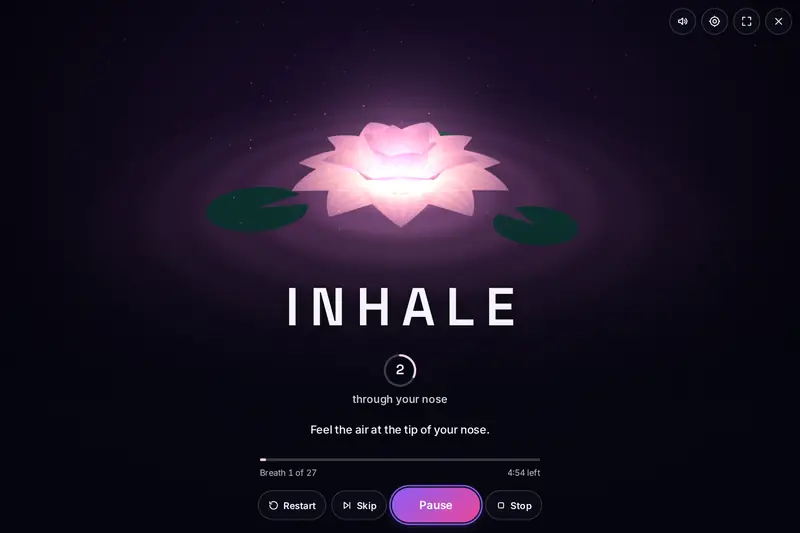
Table of Contents
Overview
Slow breathing is simple to describe and oddly hard to do alone. You count to four, lose the count, hurry the breath out and start again. A guide that breathes with you takes the counting away, and that is what Breathe Studio is: a picture that grows as you breathe in and settles as you breathe out, with one large word that says what to do now and a small ring that counts the seconds.
Around that picture is a small studio. A library of 25 breathing exercises covers relaxing, focusing, waking up, meditating and getting ready for sleep, each with its pattern, its level and a plain description. A meditation timer rings a bell at the start and the end of a sitting. A sound studio makes rain, ocean waves, singing bowls and a dozen other sounds in your browser as you listen. A journey page counts your sessions and your days in a row.
It is a wellness tool, not a medical one. The exercises are ordinary breathing practices that many people find calming or refreshing; none of them is offered as a treatment for anything. All of it runs in your browser, with nothing to install, no account and nothing uploaded.
Key Features
Eight Pictures That Breathe
A glowing sphere, a lotus, rings of light, an ocean, a particle field, a mountain dawn, an aurora and a candle, each drawn in 3D and each moving with your breath.
25 Guided Exercises
Box breathing, 4-7-8, coherent breathing, alternate nostril breathing and 21 more, with filters for relaxation, energy, meditation, sleep, focus and beginners.
One Clock for Everything
The picture, the word, the countdown, the cue sounds and the voice all follow one session clock, so they stay in step, also in a background tab.
Gentle by Default
Beginner and sleep exercises never hold the breath, one switch removes the holds everywhere, and the demanding patterns carry a clear caution.
A Sound Studio
Fifteen soundscapes, three noises, nine pure tones, a two-ear beat and a harmonic drone, mixed up to five at a time, all made in the browser.
A Meditation Timer
From 1 to 180 minutes, with bells and five ways to sit: silent, with interval bells, with the breath, relaxing the body, or guided.
Your Own Patterns
Set the seconds for inhale, hold, exhale and rest, choose a picture and save it. The tool works out its level and warns when a pattern is demanding.
Your Journey, Kept Private
Sessions, minutes, days in a row and a chart of your practice, kept in your browser only and cleared with one button.
How to Use
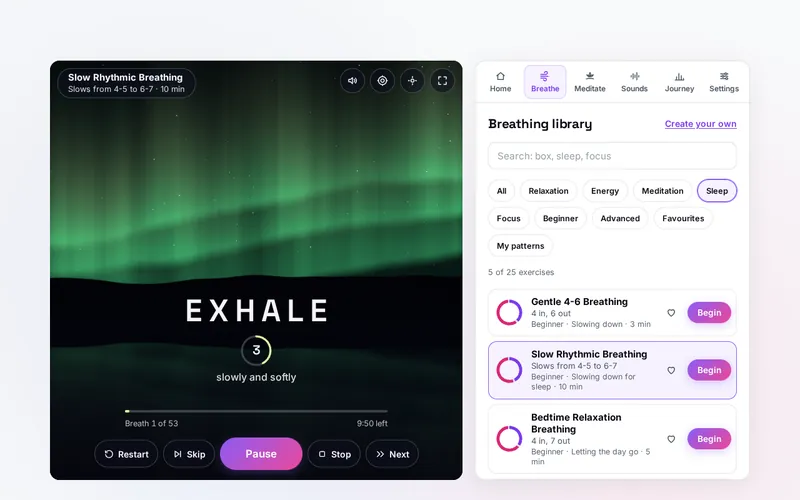
- Press Begin - The studio opens with Coherent Breathing ready. One press starts it; three seconds later you are breathing with the picture.
- Follow the picture - Breathe in while it grows and out while it settles. The word says INHALE, HOLD, EXHALE or REST, and the ring counts the seconds.
- Say what you need - On the Home tab pick a goal such as Relax, Improve focus or Better sleep, and start one of the three sessions suggested for it.
- Browse the library - The Breathe tab lists all 25 exercises. Filter or search them, read about one, choose its length and mark your favourites.
- Add sound or a voice - Switch on rain or singing bowls in the Sounds tab, and choose Sounds, Voice or both under Settings, Guidance.
- Sit quietly - The Meditate tab is a timer with bells for sitting still, and the focus view shows the picture alone over the whole page.
How the Tool Works It Out
- The session is laid out first - When you press Begin, the tool writes out the whole session: every phase of every breath with its start and its end, to the thousandth of a second. A session always ends on a whole breath, which is why five minutes of a ten second breath is exactly thirty breaths.
- One clock - The time gone is the time run before the last start plus the clock time since then. Nothing is added up picture by picture, so a slow device, a paused video card or a hidden tab cannot make the session run slow. Pause, Resume and Skip only move that one number.
- Everything asks the clock - The word, the ring, the picture, the cue sounds and the voice never keep time themselves. Each asks the session clock where the session stands. That is the reason they cannot drift apart, however long the session is.
- How full the lungs are - For the picture, the clock answers with a number from 0 to 1 that rises smoothly through a breath in, stays through a hold and falls through a breath out. The sphere's size, the lotus's petals, the height of the swell and the flame are all drawn from that one number.
- Sounds placed ahead of time - A cue sound is not played "now". It is placed a little ahead on the sound system's own clock, at the exact moment its phase begins, and much further ahead while the tab is hidden. Browsers slow the timers of hidden tabs, but a sound already placed still plays on time.
- Sounds made, not played back - Rain is shaped noise with hundreds of tiny drops; the ocean is deep noise that swells and falls; a singing bowl is a handful of pure tones that ring and fade, each pair a hair apart so they shimmer. A pure tone of 432 Hz is a sine wave of exactly 432 cycles a second. No sound file is loaded.
- Slow devices - The tool measures how long each picture takes. If a device cannot keep up, the picture is made lighter one step at a time. A picture is loaded only when it is first shown, the one before it is cleared from the graphics memory, and nothing is drawn while the tab is hidden.
- Checked before publishing - The working of the tool was run through 814,771 cases in 12 groups: the plan of every exercise at every length, where a session stands at any moment against a second way of working it out, the clock under random presses of the buttons, every word shown and spoken, patterns typed by a visitor, damaged and hostile saved data, the journey's sums in three time zones, the meditation timer and the reminders. A reference written separately in another language gave the same answers in 12,436 cases. Not tested: a real phone in a hand, Safari, the speed of the pictures on a real graphics card, and the sounds by ear.
Using Guided Breathing Well
Start small. One minute of First Breaths or three minutes of Gentle 4-6 Breathing is a complete session, and a short session you actually do is worth more than a long one you put off. Sit or lie comfortably, breathe through your nose if you can, and keep every breath soft: about three quarters full is plenty. If a pattern feels like work, it is the wrong pattern for today.
Match the pattern to the moment. Patterns for winding down make the breath out longer than the breath in, and those for sleep hold nothing at all. An even count such as box breathing or equal breathing gives a busy mind one thing to follow. The brighter patterns are a little quicker and are meant to be short. The Home tab turns this into a simple question, "What do you need right now?", and the answer is a suggestion, not a prescription.
Give it a place in the day. A streak in the Journey tab is only a count of days, but it helps to tie a session to something you already do: after waking, before the first meeting, or once the lights are low. A daily reminder in your own calendar, which the tool can make for you, works even when the page is closed.
Breathing Safely
Slow, gentle breathing without holds is comfortable for most people. Breathe naturally and never force a deep breath. If you feel dizzy, tingly, short of breath or uneasy, stop and breathe normally until it passes.
Breath holds and quicker breathing are not for everyone. Leave them out if you are pregnant, have a heart or lung condition, high blood pressure, epilepsy or glaucoma, have had recent surgery, or are unsure, and ask your doctor first. "No breath holds" under Settings removes every hold from every exercise. Never practise holds or quicker breathing while driving, swimming, bathing or using machinery.
Breathe Studio does not diagnose, treat or cure any condition, and it is not a substitute for a doctor or a therapist. The tones in the sound studio are plain tones for listening; no frequency is offered as a treatment. If stress, anxiety or poor sleep are hard to manage, please speak to a professional.
Frequently Asked Questions
The questions people ask most are answered on the tool page, just below the tool. The full list of 56 questions, from which exercise to start with and what the levels mean to the tones, the two-ear beat, reminders and your data, is on the FAQ page, and the help guide walks through every tab step by step.
Privacy & Security
This tool has no upload step, no account and no server-side storage, and it never asks for the camera, the microphone or your location. Your settings, your own patterns, your finished sessions and the day each reminder was last shown are kept only in this browser on this device, and you can delete them at any time. Permission for notifications is asked for only if you switch notifications on.
The tool asks no outside service for anything: the pictures, the timing and every sound are made in your browser, and the spoken guide uses a voice installed on your device. Like every page on ZeroDataUpload, the tool page shows ads through Google AdSense and counts visits with Google Analytics; the Privacy Policy explains both.
Ready for a quiet minute? It's free, private, and runs entirely in your browser.
Open Breathe Studio →Related

Last Updated: November 16, 2026