
Finger Roulette: a Finger Chooser for Who Goes First, Teams and Play Order
Everyone puts a finger on one screen, the lights run round, and every finger has the same chance, in your browser
Guide reviewed 15 November 2026 by Milan Salvi. How we write and correct guides.
Open Finger Roulette →Step-by-step help guide and questions and answers for this tool.
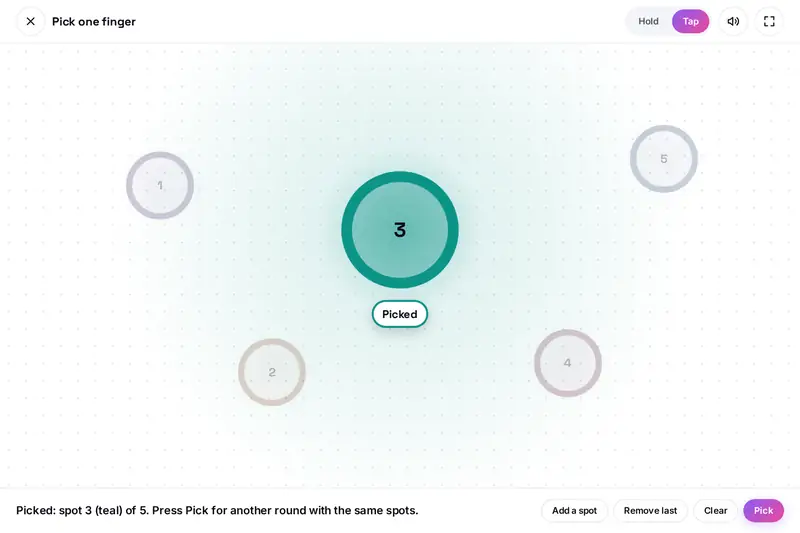
Table of Contents
Overview
A group round a table often needs one small decision before anything else can happen: who starts the game, who picks the film, who fetches the drinks. A finger chooser settles it in a few seconds without dice, cards or a list of names. Everyone puts one finger on the same screen, and the screen picks one of them.
Finger Roulette does this in the browser. A ring in its own colour appears under every finger. When everyone has held still for the countdown, the round is locked, a light hops from ring to ring, slows down and stops on one of them. The same play area can pick several fingers at once, split the group into two to four teams or put everyone in a play order, and it works with a mouse, with the keyboard and for groups bigger than a screen can follow.
The pick is made once, at the moment the round is locked, and every finger has exactly the same chance. Nothing is typed, and nothing about the players is kept or uploaded.
Key Features
One Finger Picked
From two fingers up to as many as your screen can follow, one is picked at random.
Several at Once
Pick two to eight fingers in one round, every group of that size being equally likely.
Teams
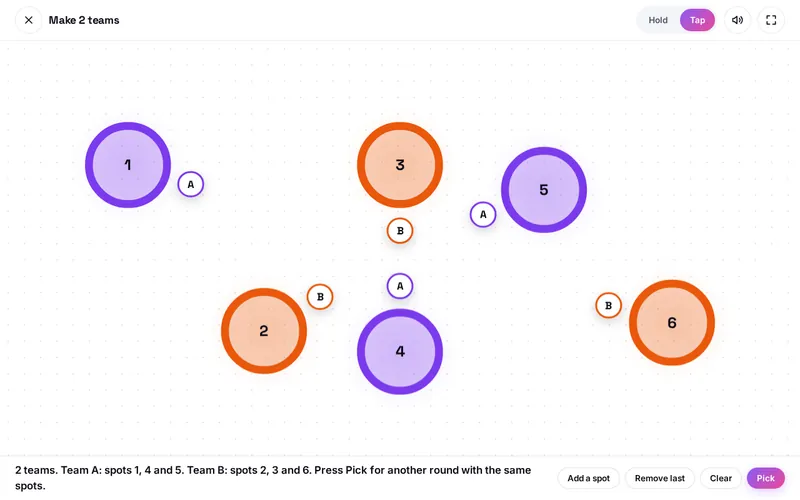
Two, three or four teams of even size, shown by colour and by the letters A to D.
Play Order
Every finger gets a place, 1st, 2nd, 3rd and so on, for turns, presentations or queues.
A Countdown Nobody Can Dodge
The count starts again when a finger joins or leaves, so a round locks only with everyone in.
Tap Spots
Click or tap once for each player, up to 24, when there is a mouse or a big group.
The Whole Screen
The play area opens above the page, so no menu, link or banner lies under a finger.
Clear for Everyone
Size, labels and a written result say who was picked; reduced motion is respected.
How to Use
- Choose what to pick - One finger, several fingers, teams or a play order, in Round settings.
- Press Start a round - The play area opens over the whole page; on a phone it asks for full screen.
- Everyone puts one finger down - Each finger gets a ring in its own colour that follows it.
- Hold still - The rings fill during the countdown of two, three or five seconds. A finger joining or leaving starts it again.
- Watch the lights - The round is locked, the light runs round and stops; the picked ring grows and the others fade.
- Play again - Lift every finger and touch the play area again. With a mouse or a big group, use Tap and press Pick.
How the Tool Works It Out
- When the pick is made - At the moment the rings are full, the tool counts the fingers and draws the whole result in one go. The running light afterwards is a show for a result that already exists, which is why lifting a finger while the lights run changes nothing.
- Where the chance comes from - From the random numbers a browser provides for security purposes. Such a number is a whole number from 0 to 4,294,967,295. Taking the remainder after dividing by the number of fingers would favour a few fingers very slightly whenever 4,294,967,296 does not divide evenly, so the tool throws away the few numbers at the top of the range that cause this and draws again. Each of seven fingers then has exactly one chance in seven.
- Several fingers, teams and order - These are made by shuffling with the same kind of draw, so that every group of picked fingers, every split into teams and every order is as likely as any other. Team sizes differ by one at most, and which team gets the extra player is drawn too.
- What plays no part - Where a finger is, when it arrived, how hard it presses, whether it moves, the colour of its ring and the result of the round before.
- The lights - The light travels clockwise round the rings and slows down with every hop. No single ring lights up more than three times a second, and with reduced motion set on the device the lights do not run at all.
- Checked before publishing - We tested the picking rules apart from the page: 5,274,282 cases in 14 groups: the limit under which a drawn number is kept, compared with exact whole-number arithmetic for every group size the tool allows; every possible run of draws for small groups, in which each order of up to seven fingers, each group of picked fingers and each play order came up exactly as often as every other; several million picks, shuffles, team splits and orders from the real generator compared with what chance allows; team sizes for every group from one to 24 players; the plan of the lights for every number of fingers, start and end, which always stops on the picked ring and never lights a ring again within a third of a second; the words of every kind of result; the places of labels and spots; and saved settings made to break the tool, which are read back as the defaults. The page was then played in a test browser with simulated fingers, a mouse and the keyboard: 282 checks, none failed. The fingers in these tests were simulated, and real screens differ in how many fingers they follow.
Settling Small Things Fairly
A random pick works when everyone accepts it before it is made. Say out loud what is being picked, "the picked finger starts" or "the picked finger does the washing up", before the fingers go down, because a result explained afterwards always looks arranged. The countdown helps here: it starts again whenever a finger joins or leaves, so nobody is left out and nobody can slip away at the last moment.
For a longer game, Play order saves asking again each round, and Teams avoids the awkward choosing of sides: the tool knows nothing about the players, so nobody is picked last. If the group is not happy with a split, play another round; every split is as likely as any other.
The tool cannot tell whose finger is whose. Two fingers from one person are two chances, so agree on one finger each. It is a game between friends for small things, not a tool for betting or prize draws.
The site's other pickers choose between things you type or between the faces of a coin or a die: SpinForge spins a wheel of your own entries, the Decision Maker weighs options, and Flip the Coin and the Multi Dice Roller do what their names say. Finger Roulette is the one that picks between the people themselves.
Frequently Asked Questions
The questions people ask most are answered on the tool page, just below the tool. The full list of 37 questions, from how many fingers can play to teams, Tap spots, fairness and your privacy, is on the Finger Roulette FAQ page, and every part of the tool is explained step by step in the help guide.
Privacy & Security
This tool has no upload step, no account and no server-side storage. It asks for no names and takes no pictures. During a round it knows where fingers touch its play area, and it forgets that when the round ends. Only your settings (what to pick, the countdown, the sound) stay in this browser, and one button removes them.
The tool asks no outside service for anything. Like every page on ZeroDataUpload, the tool page shows ads through Google AdSense and counts visits with Google Analytics; the Privacy Policy explains both.
Ready to find out who goes first? It's free, private, and runs entirely in your browser.
Open Finger Roulette →Related

Last Updated: November 15, 2026