Favicon Sizes You Actually Need, and Why Google Still Shows Your Old Icon
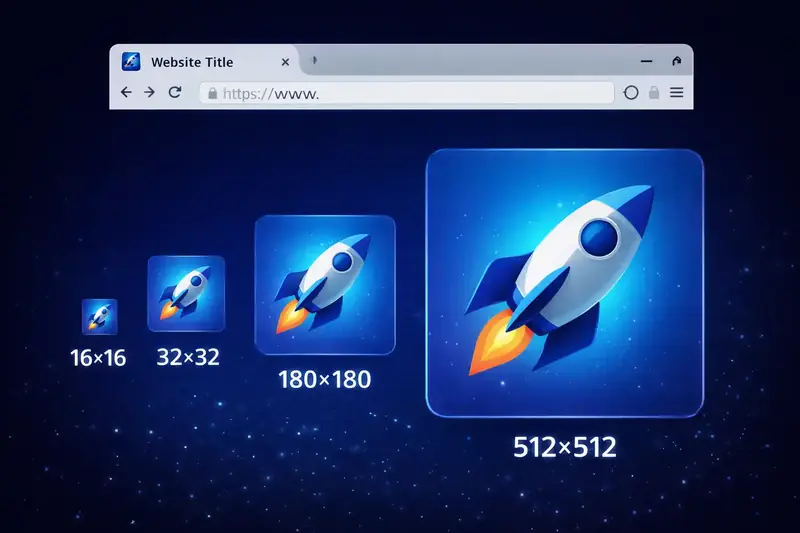
Table of Contents
Most websites need five favicon files: a favicon.ico, a 180 px icon for iPhones, two Android icons of 192 and 512 px, and a small manifest file that points to them. If you have just changed your icon and Google still shows the old one, your site is probably fine: Google refreshes icons on its own schedule, and further down I show what Google says and what I did about it on this site.
I'm Milan, and I made Favicon Creator Pro. This page is for anyone building a website or an app who has no idea which favicon sizes are needed: shop owners, developers, everybody. Finding the exact size each platform wants takes a lot of time, and that is the time I wanted to save.
1. Why I Built My Own Favicon Maker
Every time I created an application, I needed a favicon, so I searched online for a favicon creator. The ones I found were not easy to use and did not have many options. Then one day the one I used stopped working, and there was nothing left that I could use for my own apps. So I built a favicon creator for myself, and I put into it everything that was missing from the online one. Once it covered everything my own applications needed, I thought: why not make it available to everyone? So I launched it.
What it does today: you can start from a picture, from one to three letters, from an emoji, from the icon library or from a link; crop and adjust the picture; set the space around it, the rounded corners and the background; check a quality score; and download one ZIP with every size, the manifest file and ready-to-paste code for a plain web page, React, Vue or WordPress. The files come out ready to use. Your picture stays on your computer; nothing is uploaded.
2. The Files This Site Uses
These are the icon files of zerodataupload.com, with their real sizes:
| File | Picture size | File size | Where it shows |
|---|---|---|---|
| favicon.ico | 16, 32 and 48 px in one file | 3.2 KB | Browser tabs, Google search, older browsers |
| favicon-16x16.png | 16 px | 0.4 KB | Browser tabs |
| favicon-32x32.png | 32 px | 0.7 KB | Browser tabs on sharp screens |
| apple-touch-icon.png | 180 px | 16.4 KB | iPhone and iPad home screen |
| android-chrome-192x192.png | 192 px | 17.0 KB | Android home screen |
| android-chrome-512x512.png | 512 px | 103.4 KB | Android splash screen and app install |
| maskable-icon-192x192.png | 192 px | 7.2 KB | Android, when the phone cuts the icon into a circle or other shape |
| maskable-icon-512x512.png | 512 px | 31.2 KB | The same, large |
All eight together come to about 180 KB, and a browser only downloads the one or two it needs.
3. The Smallest Set Most Sites Need
If eight files feel like too many, these five cover nearly every browser and phone:
favicon.ico, with 16, 32 and 48 px inside (browser tabs and Google)apple-touch-icon.png, 180 px (iPhone and iPad home screen)android-chrome-192x192.png(Android home screen)android-chrome-512x512.png(Android splash screen)site.webmanifest, a small text file that tells Android which icons to use
The separate 16 and 32 px PNG files are optional: current browsers can take those sizes from the .ico file. Google recommends an icon larger than 48 x 48 px for search results, and the 192 px one covers that.
4. Adding Them to Your Page
Put the files in the main folder of your site and add these lines inside the <head> of your home page (and ideally every page):
<link rel="icon" href="/favicon.ico" sizes="any">
<link rel="icon" type="image/png" sizes="192x192" href="/android-chrome-192x192.png">
<link rel="apple-touch-icon" sizes="180x180" href="/apple-touch-icon.png">
<link rel="manifest" href="/site.webmanifest">
The manifest file looks like this:
{
    "name": "Your Site Name",
    "short_name": "Site",
    "icons": [
        { "src": "/android-chrome-192x192.png", "sizes": "192x192", "type": "image/png" },
        { "src": "/android-chrome-512x512.png", "sizes": "512x512", "type": "image/png" }
    ],
    "theme_color": "#8B5CF6",
    "background_color": "#ffffff",
    "display": "standalone"
}
Favicon Creator Pro writes the code and the manifest file for you; you only paste them in.
5. I Changed My Icon. Why Does Google Still Show the Old One?
This site used to have a lock as its icon. I never liked it. I wanted something people could remember easily, and a single letter, Z, is easy to remember, so I replaced the lock with the Z. On my phone and on my computer the Z showed up straight away and looks right. But when I search for zerodataupload in Chrome, Google often still shows the old lock, and only sometimes the new Z.
This is how Google handles it, from its help page Define a favicon to show in search results:
- Google looks for the icon named in a link tag on your home page, and keeps one icon per site.
- Google has to be able to read your home page and the icon file; neither may be blocked.
- The icon must be square, and Google recommends one larger than 48 x 48 px.
- "The favicon URL must be stable (don't change the URL frequently)."
- Updating it can take "anywhere from several days to several weeks".
- "A favicon isn't guaranteed to appear in Google Search results, even if all guidelines are met."
I checked all of these on this site: the link tags are on the home page, nothing is blocked, the icons are square and up to 512 px, and the icon kept its old address (/favicon.ico). So nothing is wrong; Google simply has not fetched the new icon everywhere yet. Two things help:
- Wait. Several weeks is normal.
- In Google Search Console, open URL Inspection, enter your home page address and click "Request indexing". Google suggests this to speed up the change.
One more surprise from this site: when I replaced the tool icons here in October 2026, one of the servers of my hosting company's cache kept sending the old UUID Generator icon to some visitors until I cleared the cache in the hosting dashboard. If your site sits behind a cache or a CDN, clear it after changing icons. In your own browser, Ctrl+F5 or a private window shows the new icon at once.
I will update this page when Google shows the Z everywhere.
6. What Favicon Creator Pro Does Not Do
It creates every size a website, an iPhone or an Android phone asks for, from one picture, and its favicon.ico holds the 16, 32 and 48 px sizes. But be aware of these:
- It does not put the files on your site. You upload them to your site's main folder and paste the code it gives you.
- It cannot change what Google shows. Google updates icons on its own schedule (see above).
- It marks the same 192 and 512 px icons as "maskable" instead of making separate ones with extra space around the picture. On Android, a phone that cuts icons into a circle may clip the edges of your logo. For this site I made separate maskable icons with more space around the Z. If your logo touches the edges, add 10 to 20% padding in Advanced Options before you download.
- "Load from URL" does not work with sites that block other sites from reading their pictures. Download the picture first and use Upload.
7. Mistakes I See Most Often
- Too much detail: at 16 px, fine lines and small text turn into a smudge. This is one reason I chose a single letter.
- No icon for iPhones: without
apple-touch-icon.png, an iPhone has no proper picture for your page and makes a poor one of its own when someone adds it to the home screen. - Changing the icon's address: keep
/favicon.icowhere it is and replace the file; Google asks for a stable address. - Expecting Google to update at once: it takes days to weeks.
8. In Short
Five files cover almost everything: favicon.ico, a 180 px Apple icon, 192 and 512 px Android icons and a manifest. Make them from one clear, simple picture at least 512 px wide, put them in your site's main folder, add the four lines of code, and give Google a few weeks to catch up when you change the icon.
Related Articles

Published: February 8, 2026